

Key Takeaways
- A single router works well in small, open spaces but struggles with walls, floors, and distance.
- Mesh systems use multiple nodes to extend coverage without the dead zones that range extenders create.
- Mesh networks typically cost more upfront but offer simpler management for multi-story or large homes.
- Neither setup improves your internet plan's speed - both are limited by your ISP connection.
- Smart home devices with multiple wireless protocols benefit from the stable backhaul mesh systems provide.
Our Verdict
For apartments or smaller homes under roughly 1,500 square feet with few obstacles, a capable single router remains a practical, cost-effective solution. For larger homes, multi-story layouts, or households managing many connected devices, a mesh system delivers meaningfully more consistent coverage. The right choice depends less on raw speed and more on the physical reality of your space.
| Best for | Recommended |
|---|---|
| Smaller homes or apartments with open floor plans | Traditional Router |
| Larger homes, multi-story layouts, or thick-walled construction | Mesh Network |
| Households managing many smart home devices | Mesh Network |
| Budget-conscious users with simple connectivity needs | Traditional Router |
How a Traditional Router Actually Works
A standard home router connects to your modem and broadcasts a Wi-Fi signal outward in roughly circular waves. In an ideal environment - an open studio apartment, for example - that signal reaches every corner with little degradation. The problems begin when physical obstacles enter the picture.
Walls, floors, appliances, and even large furniture absorb and deflect radio frequencies. The 5 GHz Wi-Fi band, which carries faster speeds, is especially susceptible to signal loss over distance. A router placed in one corner of a two-story house may leave the opposite corner with a weak, unreliable connection - even if the hardware itself is high-quality.
Range extenders (also called Wi-Fi boosters) are often proposed as a fix, but they introduce a different problem: the device connecting through an extender is usually on a separate network segment, which can cause dropped handoffs as you move around and creates additional management complexity.
What Mesh Systems Do Differently
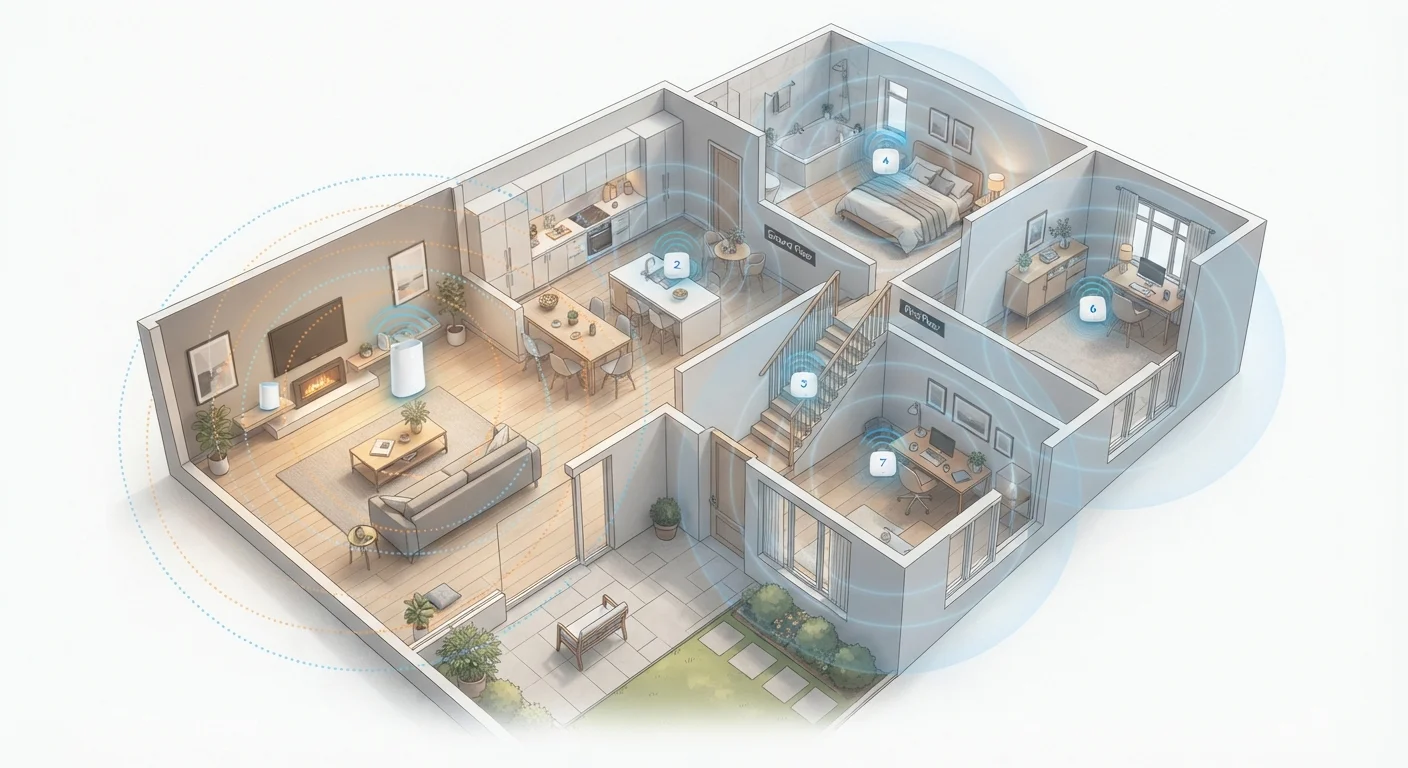
A mesh network replaces the single-point broadcast model with a coordinated system of nodes - typically two to four units - placed throughout the home. Each node communicates with the others and with your devices, creating a unified network rather than isolated broadcast zones.
The key technical difference is the backhaul: the communication channel between nodes. In wired mesh setups, nodes connect via Ethernet for maximum reliability. In wireless mesh systems, a dedicated radio band handles node-to-node traffic, keeping that channel separate from the one your devices use. This prevents the bandwidth penalty that plagues traditional extenders.
Because all nodes share a single network name (SSID), your phone or laptop can hand off seamlessly between nodes as you move from room to room - without reconnecting. This matters particularly for video calls, streaming, and smart home devices that expect a persistent connection. Speaking of which, if you're managing a smart home ecosystem, understanding the wireless protocols behind your smart devices helps explain why stable network infrastructure matters for those gadgets too.
| Traditional Router | Mesh Network | |
|---|---|---|
| Coverage area | Single broadcast point, best under 1,500 sq ft | Multi-node, scales to 3,000+ sq ft easily |
| Dead zone risk | High in larger or multi-story homes | Low - nodes fill gaps by design |
| Seamless roaming | No - manual reconnection often needed | Yes - single SSID with auto handoff |
| Typical upfront cost | $80-$200 | $200-$500+ |
| Setup complexity | Moderate - more manual configuration | Low - app-guided, auto-optimising |
| Expandability | Replace unit to upgrade | Add nodes as needed |
When the Size of Your Home Becomes the Deciding Factor
Square footage alone isn't the only variable - layout and construction materials play an equally significant role. A 2,000-square-foot ranch-style home with an open plan may perform well with a centrally placed router. A 1,800-square-foot home with multiple stories, concrete walls, or a detached garage workspace is a different challenge entirely.
Find Your Router's Weak Spots First
Before investing in a mesh system, walk your home with a phone running a free Wi-Fi analyzer app. Note where signal strength drops below -70 dBm - that reading reliably indicates where performance degrades. If weak zones are limited to one or two spots, a single well-placed router upgrade may resolve the issue without the added cost of a full mesh kit.
Mesh systems are generally most impactful in homes over 2,000 square feet, multi-story properties, older homes with plaster or masonry walls, and any setup where multiple people are simultaneously streaming, video conferencing, or gaming in different rooms. The cost difference is real - mesh kits typically run $200-$500 or more depending on configuration, versus $80-$200 for a solid standalone router - but for the right home, the consistency improvement is substantial.
One thing mesh doesn't change: your internet plan's maximum speed. Both setups are capped by what your ISP delivers to the modem. Just as your phone's network label doesn't guarantee a specific experience, the hardware inside your home distributes the bandwidth you already have - it doesn't create more of it.
Setup, Management, and Long-Term Considerations
Traditional routers typically require more hands-on configuration - setting up quality-of-service (QoS) rules, managing firmware, or adjusting channel settings if interference becomes an issue. Many users never touch these settings, but the options exist for those who want granular control.
Mesh systems lean toward simplified, app-based management. Most systems auto-configure node placement, identify weak links, and push firmware updates automatically. This convenience comes with trade-offs: some mesh platforms limit advanced settings or tie features to ongoing subscriptions for parental controls and network analytics.
From a longevity standpoint, a mesh system is modular - if your household grows or you move to a larger home, adding another node is straightforward. A router, by contrast, is a fixed-capacity device. Upgrading means replacing the unit entirely.
~30%
Average home Wi-Fi dead zone coverage
Industry surveys suggest roughly 30% of home square footage commonly experiences weak or no Wi-Fi signal with single-router setups in homes over 2,000 sq ft.
15+
Average connected devices per US household
According to Deloitte's Digital Media Trends research, the average American household manages over 15 connected devices - a figure that strains single-access-point networks.