

Key Takeaways
- Smart plugs require no wiring - they install in seconds by plugging into any standard outlet.
- Most smart plugs work with major voice assistants, including Alexa, Google Assistant, and Siri.
- Energy monitoring features on some models can reveal which appliances draw the most power.
- Smart plugs cannot make an appliance 'smart' - they only control whether power is on or off.
- Wi-Fi connectivity means performance depends on your home network's reliability and range.
Zero installation - plugs into any standard outlet
No tools, no electrician, and no permanent changes to your home. Smart plugs can be moved, returned, or repurposed without consequence.
Scheduling turns passive appliances into automatic ones
Setting a lamp to turn on at dusk or a fan to run during peak heat hours requires a one-time setup and then runs reliably without daily input.
Voice assistant compatibility across major platforms
Most models integrate with Alexa, Google Assistant, and Apple HomeKit, letting you fold the plug into whatever ecosystem you already use.
Energy monitoring reveals hidden power draws
Select models report real-time wattage and cumulative kilowatt-hours, making it straightforward to identify appliances that draw power even in standby mode.
Remote control from anywhere with a smartphone
As long as your phone has internet access, you can switch any connected appliance on or off - useful when you leave an appliance on by accident.
Cannot control appliance settings, only power state
A smart plug has one capability: cutting or restoring electricity. It cannot adjust a fan's speed, a TV's input, or a coffee maker's brew strength.
Performance depends entirely on Wi-Fi reliability
A dropped signal or router reboot can make a plug temporarily unresponsive. Homes with weak Wi-Fi coverage in certain rooms will see inconsistent results.
Not compatible with appliances that don't restore to 'on'
Many modern appliances - microwaves, some ovens, washing machines - default to a standby or off state when power is restored, making scheduling ineffective.
App and ecosystem lock-in can be limiting
Some manufacturers require their proprietary app and do not fully support open platforms. Switching ecosystems later may mean replacing hardware.
High-draw appliances may exceed rated wattage limits
Most smart plugs are rated for 10-15 amps. Space heaters, large air conditioners, or other high-wattage devices may exceed safe operating limits for certain models.
Our Verdict
Smart plugs are one of the lowest-friction ways to begin exploring home automation. They add genuine utility - scheduling, remote control, and energy visibility - to appliances that would otherwise stay completely passive. The trade-offs are real but manageable: network dependency, limited appliance compatibility, and no ability to control device settings beyond on/off.
Ideal for anyone curious about home automation who wants a low-cost, reversible first step before committing to a broader smart home ecosystem.
What a Smart Plug Actually Does
A smart plug is a compact adapter that sits between a standard wall outlet and whatever appliance you plug into it. It contains a Wi-Fi (or sometimes Zigbee or Z-Wave) radio that lets you switch power on or off remotely, set schedules, or respond to voice commands - all without touching the appliance itself.
The concept is deliberately simple. There is no wiring, no electrician, and no permanent installation. For anyone curious about where home automation fits in daily life, smart plugs are a low-risk entry point. For a broader look at what the technology actually promises, see what 'smart home' actually means before setting expectations.
Setup typically involves plugging the device in, downloading the manufacturer's app, and connecting it to your home Wi-Fi - a process that usually takes under five minutes. Once connected, the plug appears in your app and, if you choose, in platforms like Amazon Alexa, Google Home, or Apple HomeKit.
Smart Plugs vs. Smart Switches: A Quick Distinction
Smart plugs control whatever is plugged into them and move with you when you relocate. Smart switches, by contrast, replace a wall switch and control hardwired fixtures like overhead lights. If your goal is to automate built-in lighting rather than lamps and appliances, a smart switch is the more appropriate choice - though it does require installation at the wall.
The Genuine Advantages
Smart plugs punch above their price point in several practical ways:
Zero installation - plugs into any standard outlet
No tools, no electrician, and no permanent changes to your home. Smart plugs can be moved, returned, or repurposed without consequence.
Scheduling turns passive appliances into automatic ones
Setting a lamp to turn on at dusk or a fan to run during peak heat hours requires a one-time setup and then runs reliably without daily input.
Voice assistant compatibility across major platforms
Most models integrate with Alexa, Google Assistant, and Apple HomeKit, letting you fold the plug into whatever ecosystem you already use.
Energy monitoring reveals hidden power draws
Select models report real-time wattage and cumulative kilowatt-hours, making it straightforward to identify appliances that draw power even in standby mode.
Remote control from anywhere with a smartphone
As long as your phone has internet access, you can switch any connected appliance on or off - useful when you leave an appliance on by accident.
When paired with a smart speaker, smart plugs become part of a voice-controlled layer that can feel genuinely useful rather than gimmicky - turning a lamp on at dusk or cutting power to a space heater without leaving the couch.
The Real Limitations
Smart plugs are widely useful, but they are not a universal fix. Understanding where they fall short helps you avoid frustration:
Cannot control appliance settings, only power state
A smart plug has one capability: cutting or restoring electricity. It cannot adjust a fan's speed, a TV's input, or a coffee maker's brew strength.
Performance depends entirely on Wi-Fi reliability
A dropped signal or router reboot can make a plug temporarily unresponsive. Homes with weak Wi-Fi coverage in certain rooms will see inconsistent results.
Not compatible with appliances that don't restore to 'on'
Many modern appliances - microwaves, some ovens, washing machines - default to a standby or off state when power is restored, making scheduling ineffective.
App and ecosystem lock-in can be limiting
Some manufacturers require their proprietary app and do not fully support open platforms. Switching ecosystems later may mean replacing hardware.
High-draw appliances may exceed rated wattage limits
Most smart plugs are rated for 10-15 amps. Space heaters, large air conditioners, or other high-wattage devices may exceed safe operating limits for certain models.
For appliances that benefit from finer control - temperature adjustment, fan speed, or occupancy sensing - a dedicated device like a smart thermostat will deliver results a smart plug simply cannot replicate.
5-10%
Typical home electricity from standby power
The U.S. Department of Energy estimates that standby power - sometimes called 'vampire load' - accounts for roughly 5-10% of residential electricity use.
~5 min
Average smart plug setup time
Most manufacturers report that standard smart plug installation, from unboxing to app connection, takes approximately five minutes for first-time users.
Practical Use Cases Worth Considering
The most reliable applications for smart plugs share a common trait: the appliance only needs to be fully on or fully off to be useful.
- Lamps and floor lights: Schedule lights to turn on at sunset and off at bedtime without touching a dimmer or app each day.
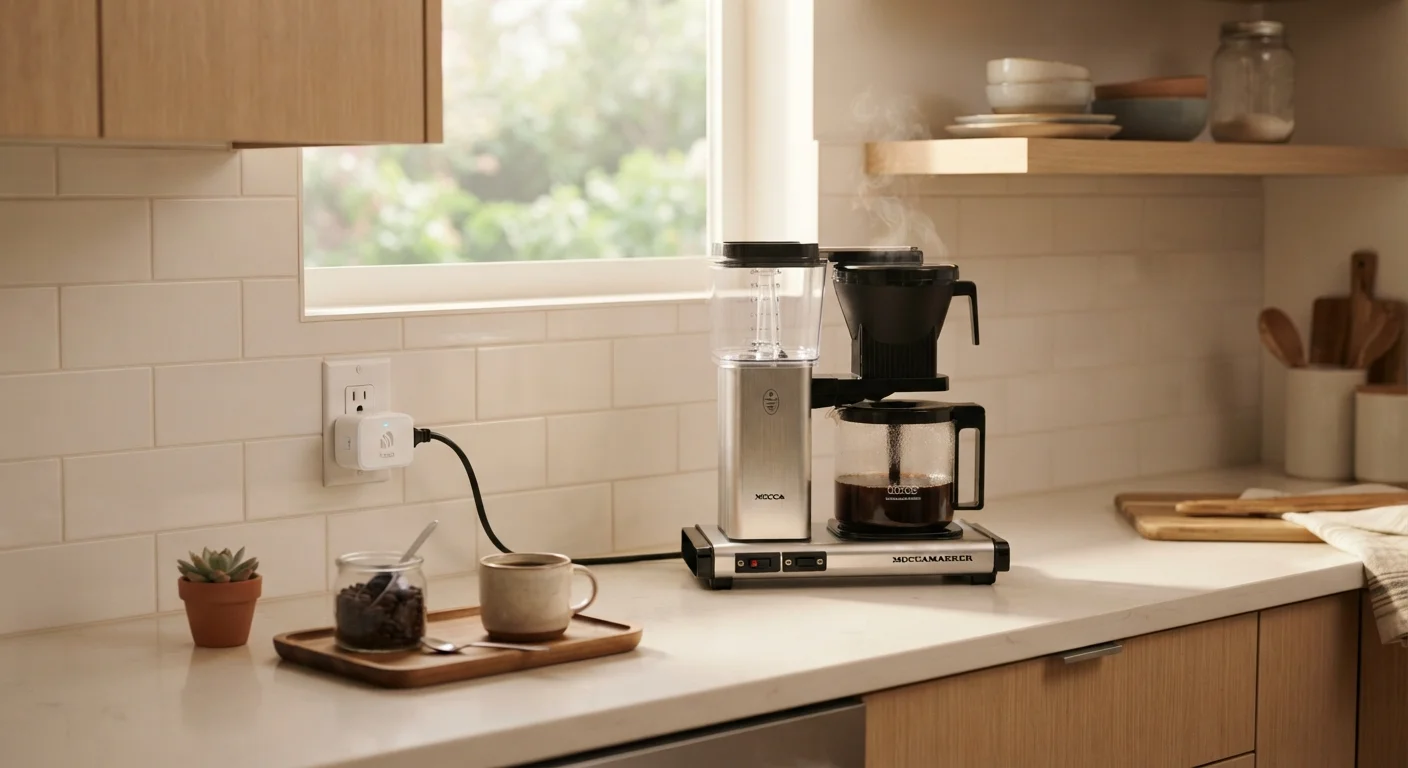
- Coffee makers: If your machine has a manual brew button, a smart plug can pre-warm it so it's ready when you wake up.
- Window air conditioners: Pre-cool a room before arriving home, or set a cutoff time to avoid overnight running costs.
- Phone and device chargers: Automate a charger cutoff after a set number of hours to reduce trickle-draw electricity use.
- Holiday lighting: Replace mechanical timers with flexible schedules that adjust to sunset times automatically.
Smart plugs also pair naturally with other entry-level home tech. If you're exploring how devices work together, planning a multiroom audio setup involves similar decisions about ecosystems and compatibility that apply here too.