

Key Takeaways
- Laptops trade raw performance and upgradeability for portability and convenience.
- Desktops typically deliver more processing power and storage capacity per dollar spent.
- Thermal design limits how much performance a laptop can sustain under heavy workloads.
- Desktops are generally easier and less expensive to repair or upgrade over time.
- Your daily routine - not just your task list - should drive the form-factor decision.
Option A
Laptop
The portable, self-contained computing solution.
Best for: Users who need to work, study, or create from multiple locations throughout the day.
Option B
Desktop
The stationary, high-performance computing powerhouse.
Best for: Users with a dedicated workspace who prioritize performance, upgradeability, and ergonomic flexibility.
If you move between locations daily - offices, campuses, coffee shops
Laptop
Built-in battery, compact footprint, and a single device you carry with you make the laptop the only practical choice for genuinely mobile computing.
If you do demanding creative or technical work at a fixed desk
Desktop
Desktops sustain heavier workloads longer, run cooler under stress, and let you attach the exact monitor, keyboard, and peripherals that suit your workflow.
If you want long-term value and the ability to upgrade components over time
Desktop
Adding RAM, swapping storage, or upgrading a graphics card is straightforward on most desktops - options that are limited or impossible on the majority of laptops.
If you share a small living space and need one device that does everything
Laptop
A laptop eliminates the need for a dedicated desk setup, external monitor, and cable management - it folds away when not in use.
The Core Trade-Off: Portability vs. Power
Every difference between a laptop and a desktop traces back to one engineering constraint: laptops must fit everything - processor, memory, storage, battery, display, and keyboard - into a chassis you can carry in a bag. That constraint shapes every trade-off that follows.
Desktops face no such size restriction. Components can be larger, cooled more aggressively, and replaced independently. A desktop processor, for instance, can draw two to three times more power than its mobile equivalent, which translates directly into sustained performance headroom. For tasks like video rendering, 3D modeling, or compiling large codebases, that headroom is tangible.
Laptops compensate with convenience. You don't need an outlet, a dedicated room, or a fixed routine. If your work or study life spans multiple locations in a single day, a laptop isn't just more convenient - it's genuinely the more capable tool for your actual situation. Understanding what specs like RAM and CPU speed really mean helps frame how significant the performance gap actually is for your specific workloads.
| Criterion | Laptop | Desktop |
|---|---|---|
| Portability | Fully portable, battery-powered | Stationary, requires outlet |
| Performance ceiling | Thermally limited under load | Higher sustained performance |
| Upgradeability | Limited or none on most models | RAM, storage, GPU replaceable |
| Display flexibility | Built-in screen; external possible | Any monitor(s) you choose |
| Ergonomics | Requires accessories for ideal posture | Full control over every input device |
| Space required | Minimal - folds away when closed | Dedicated desk and cable setup |
| Repairability | Often complex and costly | Generally more accessible |
Upgradeability and Long-Term Value
One of the clearest practical differences between the two form factors is what happens after you buy. Most desktops - particularly traditional tower configurations - allow you to swap RAM, add storage drives, replace a graphics card, or upgrade a power supply as your needs grow. This makes the initial purchase less of a terminal decision.
Laptops are a different story. Many modern laptops solder RAM and storage directly to the motherboard, making post-purchase upgrades impossible. Even on models with accessible slots, options are constrained by the chassis design. The type of storage drive inside your machine matters more on a laptop precisely because you may never be able to swap it out later.
If you're considering a desktop alternative that blends both aesthetics and compactness, it's worth reading about the real trade-offs of all-in-one desktops - they occupy a middle ground with their own upgrade and repairability limitations.
~60%
Share of US PC shipments that are laptops
Laptop units have consistently outsold desktops in the US consumer market for over a decade, reflecting the broad shift toward mobile computing.
2-3×
Desktop CPU power draw vs. mobile equivalent
Desktop-class processors can operate at substantially higher thermal design power (TDP) than their laptop counterparts, enabling longer, heavier workloads.
Display, Ergonomics, and Peripheral Flexibility
A desktop's monitor is a separate purchase, which sounds like a cost until you realize it's actually flexibility. You choose the screen size, resolution, color accuracy, and refresh rate independently of the computer itself. You can run dual monitors, position them at eye height, and pair them with any keyboard or mouse that matches how your hands work.
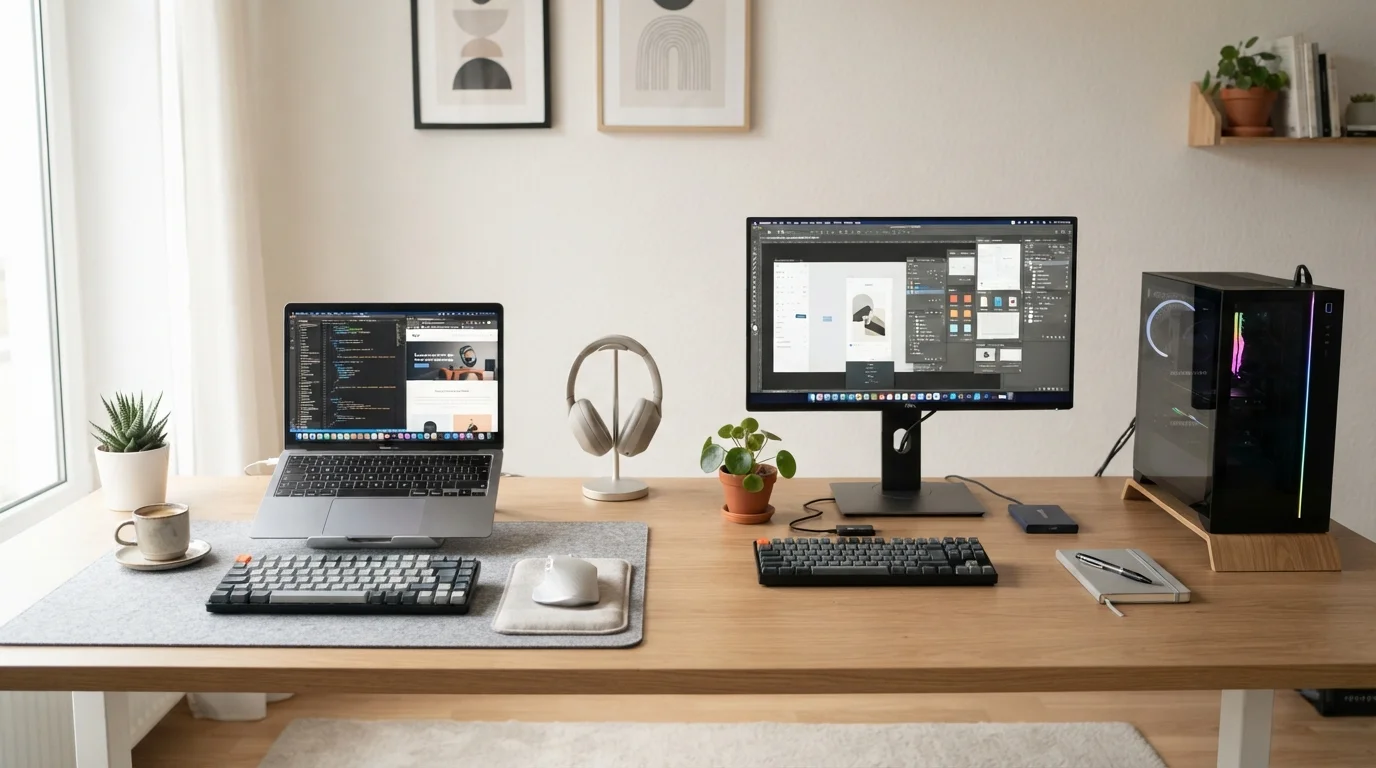
Laptops bundle the display into the device, which means a screen compromise is baked in. Smaller sizes and lower brightness are common at entry price points. That said, most laptops can connect to external monitors when docked - so a laptop can behave like a desktop when you're at your desk and become portable when you leave. This hybrid use is increasingly common, and it's worth thinking through before assuming the two categories are mutually exclusive.
Ergonomics also favor the desktop: a separate keyboard and monitor allow you to position each independently for comfort. Long-term use of a laptop on a desk without accessories can create posture issues that an external monitor stand and keyboard easily address.
Making the Right Call for Your Life
The honest answer to "laptop or desktop?" is that neither is universally superior - the right choice depends almost entirely on how and where you actually compute. A desktop in a dorm room shared with a roommate is impractical. A laptop used exclusively at a home office desk for video editing is leaving performance on the table.
If you're leaning toward a laptop, a thorough buying guide can help you navigate the spec decisions that matter most, and a pre-purchase checklist can save you from common regrets. Pay particular attention to battery life claims, which rarely match real-world usage. For desktop or laptop alike, smart budget strategies can help you allocate spending toward the specs that will actually matter in daily use.
Laptops and Desktops Aren't Always Either/Or
Many users maintain a laptop as their primary device and connect it to an external monitor, keyboard, and mouse when at their desk - effectively getting desktop-like ergonomics without buying a second machine. This "laptop-first" hybrid setup is worth considering if your workload doesn't require maximum sustained performance. The main trade-off is that you're still bounded by the laptop's internal hardware, no matter how many peripherals you attach.
Neither form factor is a permanent commitment for life - but understanding what you're trading when you choose one over the other makes it a far more confident decision.